

I’ve run my home interiors blog for around 8 years now, and in that time I’ve published 600+ blog posts. It’s getting to a point where there may be a little too much content on there. In fact, I spend a lot of my time telling clients to update their old blog posts, so it’s time to actually reap what I sow and spend time doing this task for myself.
This is where you will need a content audit.
Below, you can find out what I did and how I did it so you can do the same to tidy up your own website.
What is a content audit?
A content audit is a comprehensive review of all the content on your website (and sometimes other digital channels like social media). It involves taking stock of every piece of content, whether that’s blog posts, product pages, landing pages, or FAQs, and assessing its performance, quality, accuracy, and relevance.
At its most basic, a content audit means creating a list of all your content (usually in a spreadsheet or dashboard) and then analysing each item based on a set of chosen criteria. These might include:
- Traffic and engagement metrics (like page views, time on page, bounce rate, social shares)
- SEO data (such as keyword rankings, backlinks, and metadata)
- Conversion performance (e.g. whether the content drives sign-ups, sales or enquiries)
- Content quality (clarity, tone of voice, accuracy, spelling and grammar)
- Relevance (is it still useful and aligned with your brand?)
- Internal linking and structure (is the content well connected and easy to navigate?).
The aim is to identify what’s working, what needs updating, and what should probably be removed or merged with something else. It’s like giving your website a health check, looking for old, underperforming or duplicated content that might be dragging down your SEO or confusing your users.
For businesses, a content audit can be incredibly beneficial. It helps streamline your content strategy, improve your search visibility, and make better use of the content you already have. It can uncover hidden gems worth repurposing, highlight important gaps in your content, and ensure your site reflects your current goals and brand messaging.
Whether you’re planning a site refresh, trying to improve organic search traffic, or just want to understand what your content is doing for you, a well-executed content audit is a smart place to start.
How I did my content audit
Below, you can find each of the steps I went through to complete the content audit of my blog.
Step 1: Run a Screaming Frog crawl
I know, what a name for a tool. But it really is a good one, and something I find to be a necessity in my line of work.
Screaming Frog can crawl every URL on your website in a matter of minutes (or hours, depending on how many URLs your site has), allowing you to export the results and filter through them to find potential indexing issues, pages with low word counts, odd meta titles, and so much more.
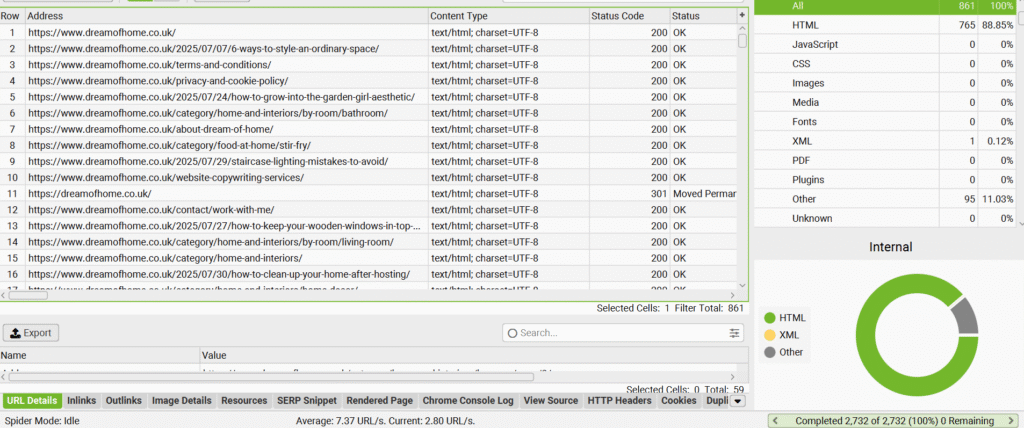
For my home interiors site, it came back with 2,732 URLs. I exported the results to a CSV file so I could more easily apply filters.
The first thing I do is remove any unnecessary pages. In this instance, I had a lot of /page/4/ sort of URLs, so I added a text filter to find all of those instances and then deleted them from the sheet. I also removed any columns that weren’t needed (outgoing links, readability, etc) just to tidy up the sheet a little.
This left me with 685 URLs to compare.
Step 2: Put your crawl into ChatGPT
AI is there to be used, and in this instance, it saved me a some time.
I prompted:
“Please look at this Screaming Frog crawl of my home interiors website and identify any pages that are similar in topic or theme, and make suggestions for pages that can be consolidated or removed. In particular, I know I have lots of articles about sleep, windows and decluttering/getting organised. Please can you also identify pages with thin/little content.”
I know, I can’t help but add ‘please’, even to a robot.
First, it identified pages with low word count but they actually turned out to be 404s, so I redirected those straight away.
The rest of its analysis was a bit iffy. It did find pages that were similar and make suggestions, but they weren’t the kind of suggestions I was after. For instance, it suggested merging an article titled ‘Things to do before you move’ with an article titled ‘Should you downsize?’ and I actually thought these are better separated.
Step 3: Do some analysis yourself
I never truly rely on AI to do everything for me. It can absolutely be a help when it comes to the quick wins, but there’s lots of things you can find yourself through a manual check.
So, to find articles that had similar titles/URLs, I started searching words within my CSV I thought would come up again and again.
First, I searched ‘mov’, as this accounts for any articles with ‘moving’ or ‘move’ in the title. There were 13 results. I don’t think I need 13 articles about moving house.
So the next question, how are these pages actually performing? Which are bringing in the most traffic, organic and otherwise, and which are as dry as the Sahara?
I love Google Search Console for this reason. I navigated to the Performance tab, and selected Search Results. It allows you to add filters, so I added a filter by page URL to see how each page was doing. Some were bringing in minimal traffic, like this one with 132 clicks in the last 16 months:
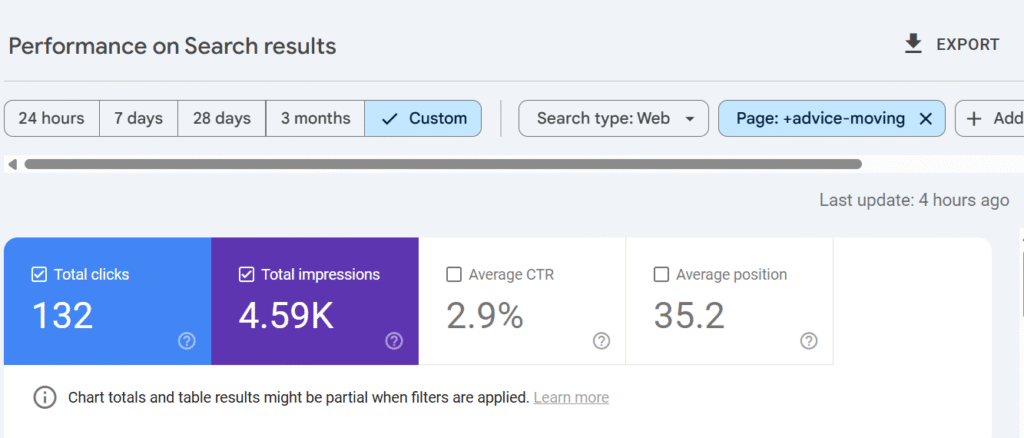
It’s not horrendous, but it could do better. This may not be a page I choose to remove/redirect, but one to amend instead.
I repeated this process for every URL to identify the ones that were bringing in little to no traffic to determine my strategy going forward.
Fo example, these two articles combined had 14 clicks in 12 months:
https://www.dreamofhome.co.uk/2017/11/24/6-moving-home-mistakes-avoid/
https://www.dreamofhome.co.uk/2017/06/29/5-amazing-moving-house-tips/
So I chose to amend the page with the most traffic, and change the title to ‘Moving house tips (and mistakes to avoid).
I made a note in my content audit spreadsheet of all the pages to merge, including the new title and the URLs I’d be amending.
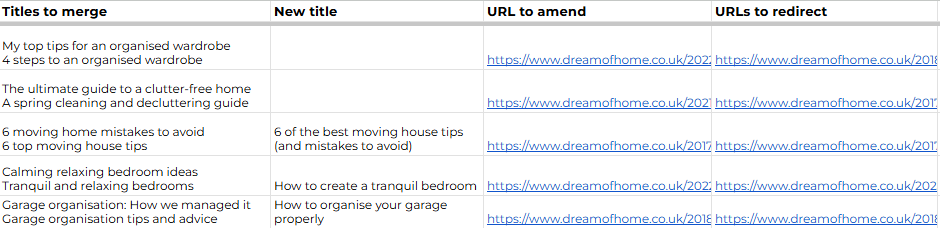
In total, I now have 30 articles that will be merged with another and then removed/redirected. This kind of clean up is often essential — those pages aren’t bringing in any relevant traffic and are just taking up real-estate space. There’s nothing more satisfying than a blog declutter.
Step 4: Use Google Search Console to identify pages that have lost impressions or clicks
I love Google Search Console. I think it gives you so much genuinely useful information and I actually use it more than GA4.
Part of my content audit involves checking the pages that have lost impressions or clicks to determine if or how they can be improved.
You can compare results over a specified time period. I chose the last 6 months compared to the previous 6 months to see what had dropped off.
In that time, my book review of Never Let Me Go lost 74,000 impressions. I’m not too mad about that, as I posted it when I was unsure what ‘niche’ my blog was going to have, and it’s now no longer books.
But with 73,000 lost impressions is my article ‘How to paint your kitchen cabinets’. This is really relevant to my site and not where I want to be losing traffic, so I’ll be spending some time digging into why that has dropped so significantly, and what I can do to bring it back.
In some cases, lost clicks can tell you more than impressions, particularly now AI overview has shunted us all further down the first page.
My article about a hot water system has lost 1.3k clicks, which is pretty big. That’s another page I can look into and improve.

Once I know which pages have dropped off, I spend some time checking out the existing SERPs, see which other websites are ranking for similar content and what they perhaps have that my page doesn’t. How can I beat my competitors? It may be adding more content, more images, more unique information and data.
Step 5: Find thin content
While I always try to make sure my articles are at least 700 words, it’s inevitable that some will have fewer words than this. Going back to my Screaming Frog CSV document, I can sort by word count from lowest to highest and find the pages that may be considered thin or could actually be removed altogether if they’re bringing no value.
I’ve tried to find pages that cover broad topics but the word count doesn’t reflect this. Where this is the case, I can improve the article to make it much more in-depth and useful to a user.
Most of my lowest word count pages were category pages, so actually it would be a good idea for me to write 100-150 words to sit at the top of each category page.
After my review, I have 11 pages of content to improve the word count on.
Step 6: Check for broken links
As part of a content audit, I always take the time to check for broken links. These can clutter up your site, especially if you link to product pages on external sites as, inevitably, products are removed and the pages are 404s. You should also check for any internal broken links, i.e. where you’ve removed products, changed the site structure, moved category pages or deleted blog posts. As general best practice, I’d always advise you redirect a blog post when the page has been deleted.
I use this free broken link checker, which will search up to 3,000 pages for free. But there are other tools available, like Ahrefs, that can do this for you if you pay for a subscription.
This one tells you the URL that’s broken as well as its anchor text, but also the URL it sits on within your website and the server response (404, timeout, etc).
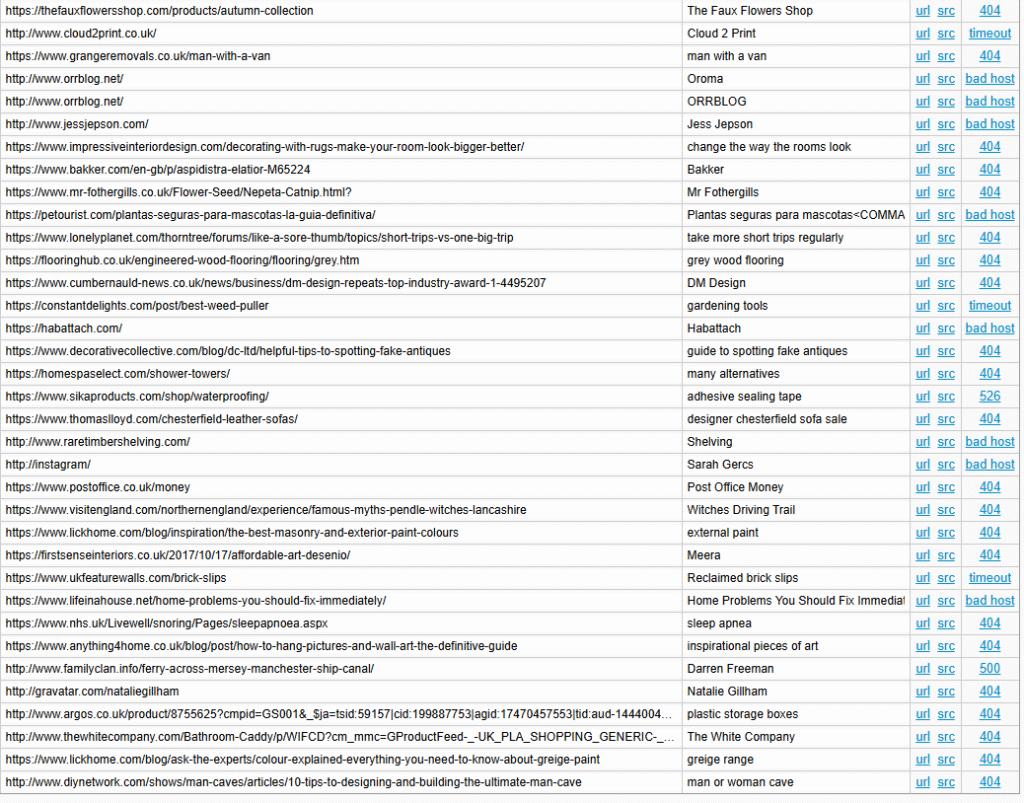
I found a real mixture of broken links, from blog posts and product pages to incorrect URLs (instagram/). But fixing them was relatively straightforward and not too time consuming, so it’s definitely time well spent.
The results
I’ve finally concluded my content audit of Dream of Home, and I have plenty of work to get on with. I need to:
- Fix and/or remove 87 broken links
- Add more content to 11 blog posts
- Merge 30 blog posts with existing content and redirect the removed pages
- Do some competitor analysis into my top 10 pages that have lost clicks and amend those pages.
Without the content audit, I likely never would have discovered some of these issues, and it’s helped me determine exactly what pages I can remove. I don’t recommend removing pages without first checking how they’re performing, as they could be bringing in valuable traffic.
The one thing I didn’t check in this audit is conversion rates. I don’t sell products on my blog, so it wasn’t worth digging into this, but it might absolutely be important for your website, particularly if you want users to sign up using a form, enter their details for a quote, or take another action.


No responses yet